Free & open sourcev1.0.0
The AI drafts.
You decide.
Olmbox gives every Contact Form 7 submission a summary, a suggested reply, a category and a priority, then puts them on a review screen and waits. Nothing is emailed until you have read it and pressed send.
- Version
- 1.0.0
- Platform
- WordPress 6.8+
- Needs
- Contact Form 7
- Licence
- GPL‑2.0
- Price
- Free
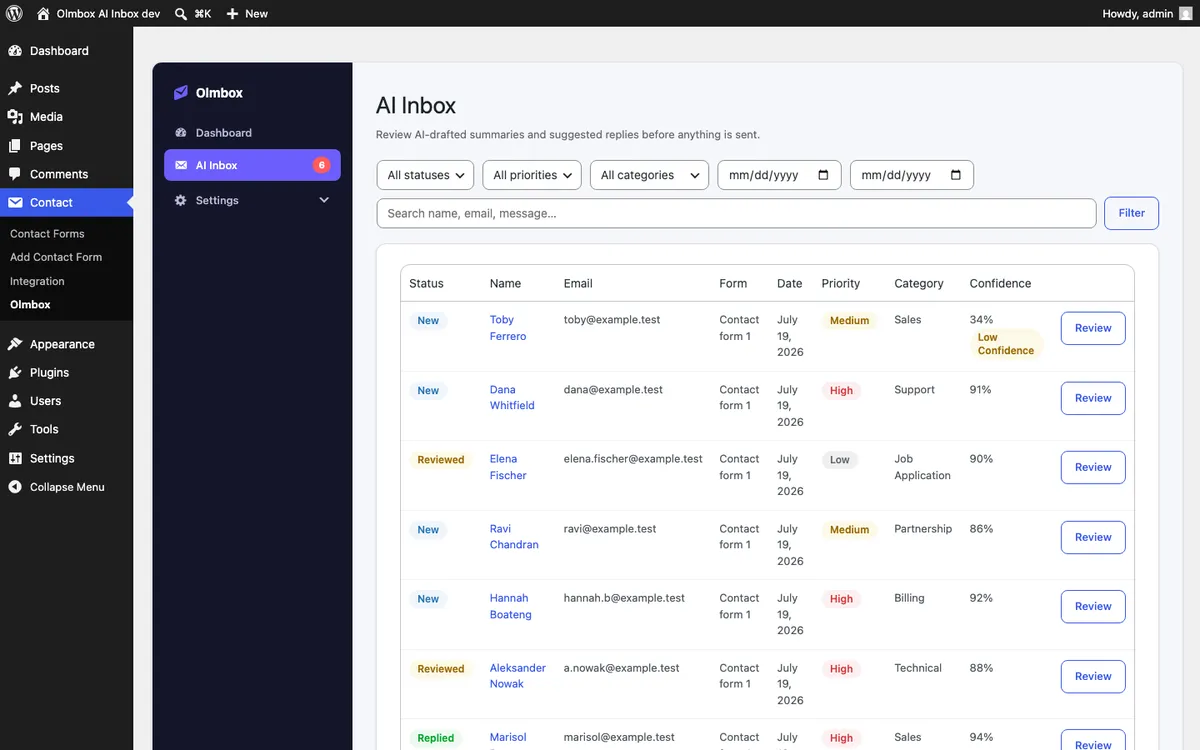
Four steps, and a person at the end of them
The plugin does the reading and the sorting. The judgement stays with you, by design rather than by default.
A submission arrives
Contact Form 7 saves it as it always did. Olmbox reads it and nothing else happens yet. Your existing form, your existing notifications, untouched.
It gets read and sorted
A summary, a category and a priority, plus a confidence score saying how sure the model actually is. Low confidence is flagged on the row rather than buried.
A reply is drafted
Written into the review screen beside the original message, never on top of it. You can read what came in and what was suggested at the same time.
You decide
Edit it, send it, save it as a draft, or throw it away. There is no setting that makes this step automatic, because the whole point is that there is a person at the end.
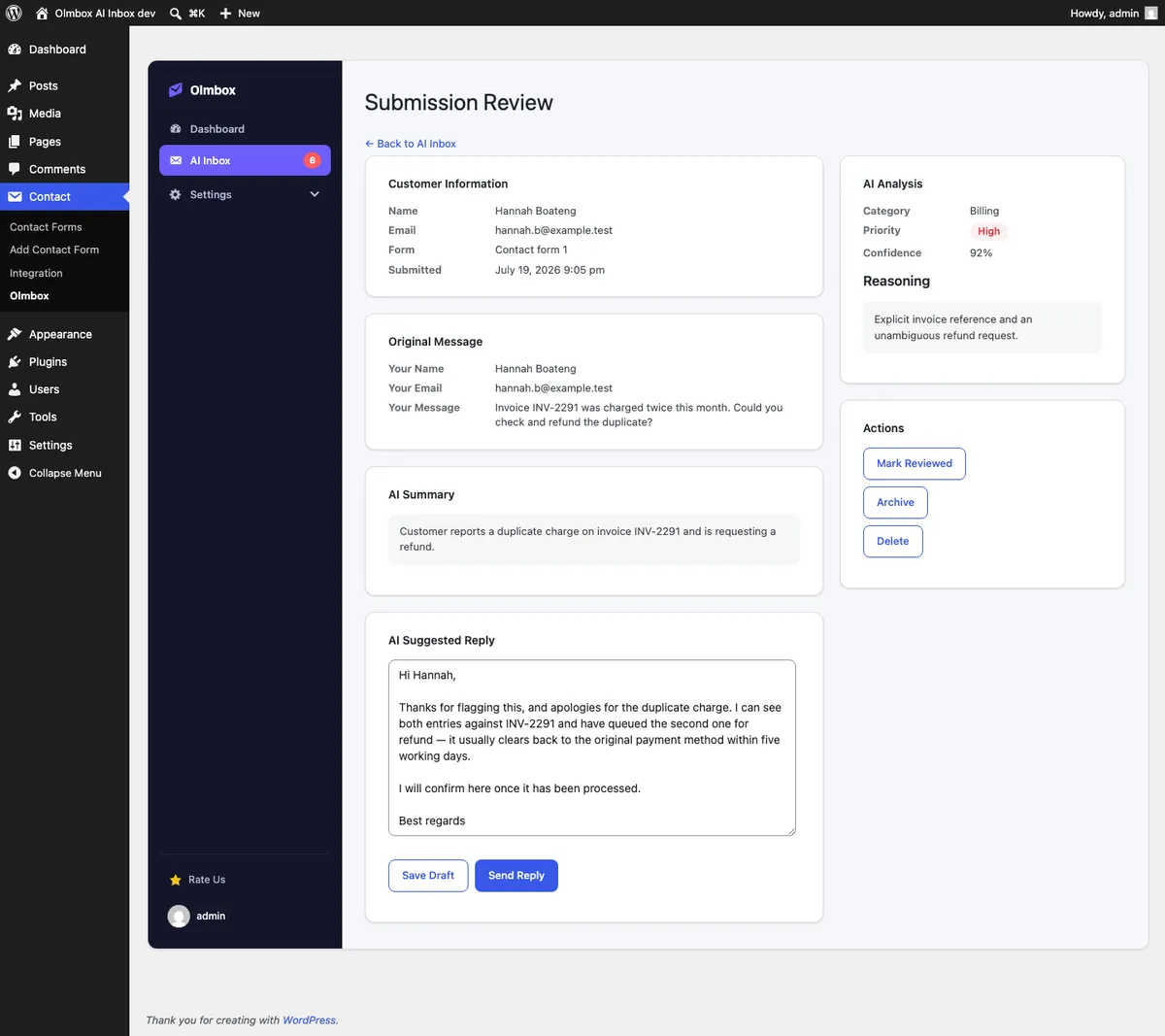
It cannot send on its own
There is no automatic mode, no delay-then-send, no setting buried three screens deep. The send button needs a person.
That is not a feature we ran out of time to build. An AI that answers your customers unsupervised will eventually promise something you cannot deliver, to someone you cannot identify, in writing. The draft is worth having. The autonomy is not.
The things people ask first
Can it reply to people on its own?
No, and there is no option to turn that on. Every outbound message is sent by a person who has read it. A plugin that emails your customers unsupervised is a plugin that will eventually embarrass you.
Whose AI is it, and who pays for it?
Yours. You bring an API key for OpenAI, Anthropic, Google Gemini or OpenRouter, and you pay that provider directly at their rates. We take nothing and resell nothing. The key is encrypted and stored on your own server.
Your other plugin refuses to use AI at all. Why does this one?
Because the jobs are different. Accessibility Remediation decides whether your markup meets a standard, and a plausible-sounding wrong answer there is worse than no answer. Drafting a reply to an enquiry is the opposite: a first draft is useful even when it is imperfect, because you are going to read it before anyone else does.
What does it send to the model?
The content of the submission it is drafting a reply to, and nothing else. No visitor tracking, no analytics, no sending your data anywhere we can see it.
What does it cost?
Nothing. It is free and GPL-licensed on the WordPress.org directory. Your only cost is whatever your chosen AI provider charges for the requests you make.
Free, GPL, and on the directory.
Install OlmboxSee the other plugin
Want something like this for a form we have not thought of? That is what we do for clients.